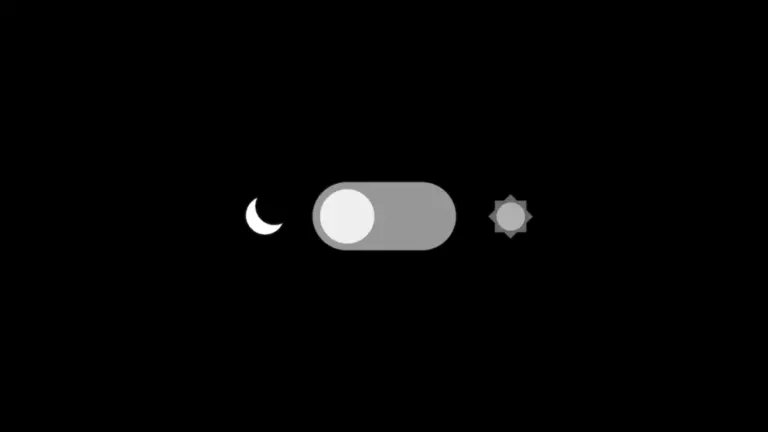
Demo của bài viết này chính là nút chuyển sáng/tối ngay trên Navbar của trang bạn đang xem đấy! Hoặc nếu đang dùng thiết bị đang bật chế độ tối, chắc hẳn bạn đang xem bài viết này ở nền tối đúng không?
1. HTML của nút chuyển dark mode
Đoạn mã sau sẽ tạo một công tắc bật/tắt giao diện tối:
<div>
    <input type="checkbox" class="mode-checkbox" id="mode-checkbox" aria-label="Đổi chế độ sáng tối">
    <label for="mode-checkbox" class="mode-checkbox-label curr-light">
        <svg xmlns="http://www.w3.org/2000/svg" fill="#f1c40f" viewBox="0 0 29 29" width="18" height="18" class="dark-mode-icon uk-svg">
            <defs>
                <radialGradient id="a" cx=".5" cy=".5" r=".5" gradientUnits="objectBoundingBox">
                    <stop offset="0" stop-color="#f1c40f"></stop>
                    <stop offset="1" stop-color="#f1c40f"></stop>
                </radialGradient>
            </defs>
            <path d="M14 2C9 2 3 7 3 15a13.7 13.7 0 0 0 14 14c8 0 13-6 13-11-11 7-23-5-16-16" transform="translate(-2 -1)" stroke="#f1c40f" stroke-linecap="round" stroke-linejoin="round" stroke-width="2" fill="url(#a)"></path>
        </svg>
        <svg fill="#f3c612" viewBox="0 0 32 32" xmlns="http://www.w3.org/2000/svg" width="18" height="18" class="light-mode-icon uk-svg">
            <path d="M23.4 14.1c2.95-1.38 2.82-6.06 5.75-5.88-4.12-2.74-4.02 3.1-9.09 1.24
                    1.11-3.07-2.29-6.29-.09-8.23-4.85.98-.64 5.04-5.55 7.3-1.39-2.96-6.07-2.83-5.89-5.76
                    -2.74 4.13 3.11 4.02 1.24 9.1-3.07-1.12-6.29 2.28-8.23.08.98 4.86 5.04.65 7.3 5.56
                    -2.96 1.38-2.83 6.07-5.76 5.88 4.13 2.74 4.02-3.1 9.1-1.23
                    -1.11 3.06 2.29 6.28.08 8.22 4.86-.98.65-5.04 5.56-7.3
                    1.38 2.96 6.07 2.83 5.88 5.76 2.74-4.12-3.1-4.02-1.23-9.09
                    3.07 1.1 6.29-2.29 8.23-.09-.98-4.85-5.04-.64-7.3-5.55z"></path>
        </svg>
        <span class="ball"></span>
    </label>
</div>
2. CSS giao diện nút chuyển
CSS này tạo hiệu ứng chuyển động mượt mà, dùng được với mọi site:
.mode-checkbox {
    opacity: 0;
    position: absolute;
    z-index: 999;
    cursor: pointer;
}

.mode-checkbox-label {
    width: 44px;
    height: 26px;
    border-radius: 50px;
    position: relative;
    padding: 0 5px;
    cursor: pointer;
    display: flex;
    justify-content: space-between;
    align-items: center;
    overflow: hidden;
}

.curr-dark {
    background: linear-gradient(to right, #2c3e50, #2980b9);
}

.curr-dark:before {
    content: '';
    position: absolute;
    width: 10px;
    height: 10px;
    top: 2px;
    left: 15px;
    background: url('data:image/svg+xml,<svg viewBox="0 0 24 24" fill="%23fff" xmlns="http://www.w3.org/2000/svg"><path d="M7.45 2.71a1.13 1.13 0 0 1 2.1 0l1.16 2.95q.18.45.63.63l2.95 1.16c.95.38.95 1.72 0 2.1l-2.95 1.16q-.45.18-.63.63L9.55 14.3c-.38.95-1.72.95-2.1 0L6.3 11.34a1.1 1.1 0 0 0-.63-.63L2.7 9.55a1.13 1.13 0 0 1 0-2.1L5.66 6.3q.45-.18.63-.63zm9.47 10.69a.62.62 0 0 1 1.16 0l.9 2.28q.1.24.34.34l2.29.9c.52.21.52.95 0 1.16l-2.29.9a.6.6 0 0 0-.34.34l-.9 2.29a.62.62 0 0 1-1.16 0l-.9-2.29a.6.6 0 0 0-.34-.34l-2.29-.9a.62.62 0 0 1 0-1.16l2.29-.9a.6.6 0 0 0 .34-.34z" /></svg>');
    animation: fade-stars 3s ease infinite;
    pointer-events: none;
    z-index: 0;
}

@keyframes fade-stars {
    0% { opacity: 1;}
    50% { opacity: 0.3; }
    100% { opacity: 1; }
}

.curr-light {
    background: linear-gradient(to left, #0052d4, #65c7f7, #9cecfb);
}

.curr-light:after {
    content: '';
    position: absolute;
    width: 32px;
    height: 32px;
    top: 8px;
    left: -32px;
    background: url('data:image/svg+xml,<svg viewBox="0 -4 32 32" fill="%23fff" xmlns="http://www.w3.org/2000/svg"><path d="M23.07 5.03A9 9 0 0 0 6.03 8.35 8.1 8.1 0 0 0 0 16c0 4.26 3.54 7.75 8 8h15c4.97 0 9-4.25 9-9.5a9.5 9.5 0 0 0-8.93-9.47" fill-rule="evenodd"/></svg>');
    animation: chillin-cloud 10s ease-in infinite;
    pointer-events: none;
    z-index: 0;
}

@keyframes chillin-cloud {
    0% { left: -32px; }
    100% { left: 54px; }
}

.light-mode-icon {
    color: #f3c612;
}

.dark-mode-icon {
    color: #f1c40f;
}

.mode-checkbox-label .ball {
    background-color: #fff;
    width: 22px;
    height: 22px;
    position: absolute;
    left: 2px;
    top: 2px;
    border-radius: 50%;
    transition: transform 0.2s linear;
    z-index: 0;
}

.mode-checkbox:checked + .mode-checkbox-label .ball {
    transform: translateX(28px);
}
3. Script gán class dark-mode từ sớm (fix flash)
Chèn đoạn inline script sau vào phần <head> của theme để gán class dark-mode ngay khi tải trang, tránh nháy sáng:
(function() {
  const stored = localStorage.getItem("darkMode");
  let isDark = false;

  if (stored === "true") {
    isDark = true;
  } else if (stored === "false") {
    isDark = false;
  } else {
    isDark = window.matchMedia('(prefers-color-scheme: dark)').matches;
  }

  if (isDark) {
    document.documentElement.classList.add("dark-mode");
    document.documentElement.classList.add("init-dark-mode-pending");
  }
})();
Nếu sử dụng WordPress, bạn có thể hook vào wp_head như sau:
function inithtml_dark_mode_inline_script() {
    ?>
    <script>
    (function() {
        try {
            const stored = localStorage.getItem("darkMode");
            let isDark = false;

            if (stored === "true") {
                isDark = true;
            } else if (stored === "false") {
                isDark = false;
            } else {
                isDark = window.matchMedia('(prefers-color-scheme: dark)').matches;
            }

            if (isDark) {
                document.documentElement.classList.add("uk-light", "uk-background-secondary");
                document.documentElement.classList.add("init-dark-mode-pending");
            }
        } catch(e) {}
    })();
    </script>
    <?php
}
add_action('wp_head', 'inithtml_dark_mode_inline_script', 0);
4. JavaScript xử lý toggle khi người dùng đổi
JS sau sẽ xử lý khi người dùng bấm chuyển chế độ. Đảm bảo bạn nạp nó sau khi DOM đã sẵn sàng (cuối trang):
document.addEventListener("DOMContentLoaded", function () {
  const checkbox = document.getElementById("mode-checkbox");
  const label = document.querySelector(".mode-checkbox-label");
  const root = document.documentElement;

  function applyMode(isDark) {
    if (isDark) {
      root.classList.add("dark-mode");
      checkbox.checked = true;
      label.classList.remove("curr-light");
      label.classList.add("curr-dark");
    } else {
      root.classList.remove("dark-mode");
      checkbox.checked = false;
      label.classList.remove("curr-dark");
      label.classList.add("curr-light");
    }
  }

  if (root.classList.contains("init-dark-mode-pending")) {
    label.classList.remove("curr-light");
    label.classList.add("curr-dark");
    checkbox.checked = true;
    root.classList.remove("init-dark-mode-pending");
  }

  checkbox.addEventListener("change", function () {
    const isDark = checkbox.checked;
    applyMode(isDark);
    localStorage.setItem("darkMode", isDark);
  });
});
5. Gợi ý class dark-mode bạn có thể định nghĩa
Vì mỗi giao diện khác nhau, bạn có thể bắt đầu với các class cơ bản như sau:
.dark-mode {
  background-color: #121212;
  color: #e0e0e0;
}

.dark-mode a {
  color: #9dcfff;
}

.dark-mode .card,
.dark-mode .widget {
  background-color: #1e1e1e;
  border-color: #333;
}
Kết luận
Bạn vừa tạo thành công dark mode không giật lag, có giao diện tinh tế, hoạt động độc lập và dễ tích hợp vào bất kỳ trang web nào. Chỉ cần hiểu rõ luồng hoạt động và tối ưu thời điểm thêm class, bạn sẽ có trải nghiệm người dùng cực tốt mà không cần plugin.

Bình luận